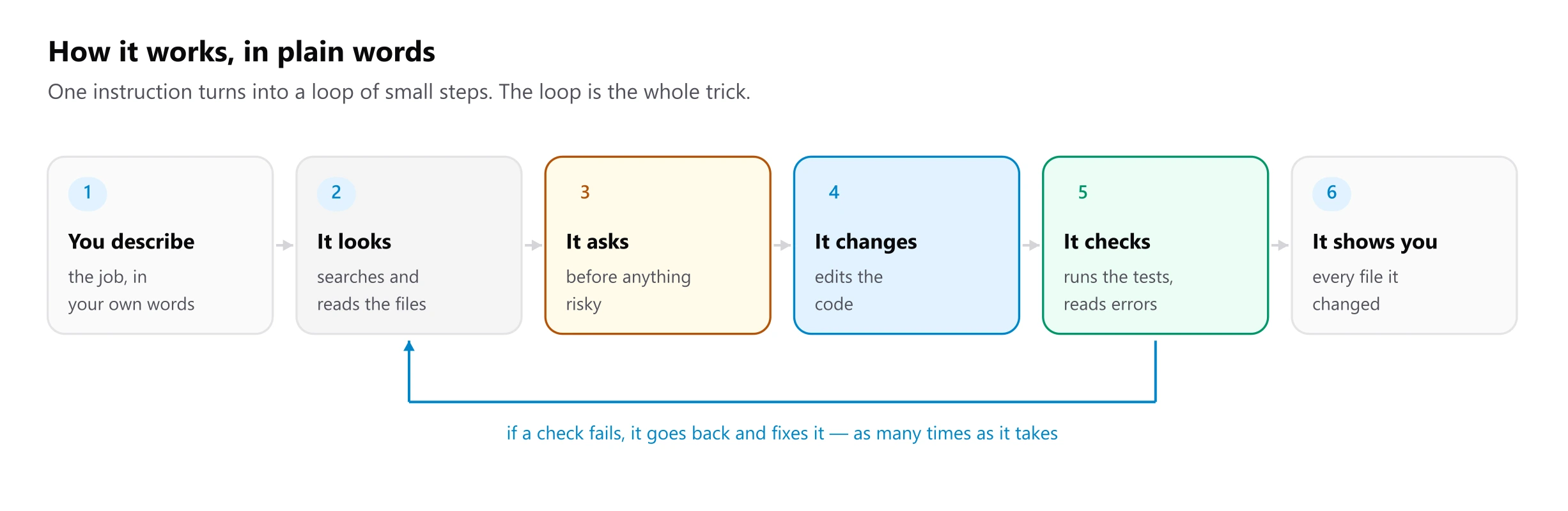
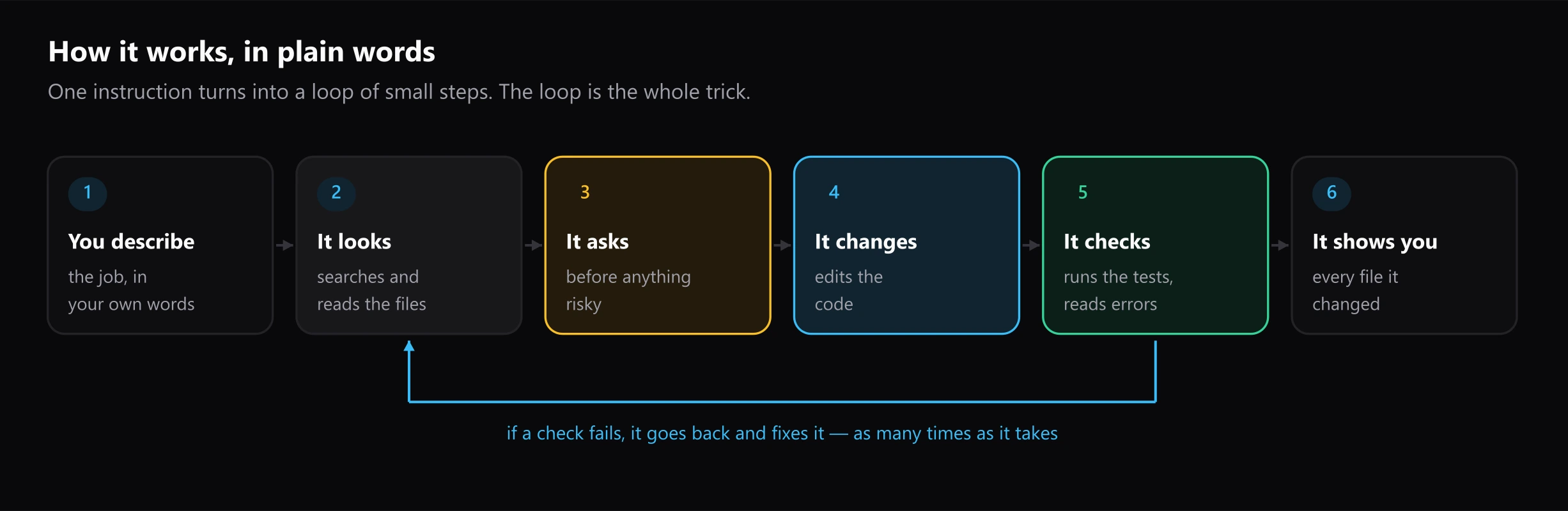
GBS SE Agent is a coding agent that lives in the VS Code sidebar. You describe the work, and it does it the way a careful colleague would: it searches and reads before it changes anything, asks before anything risky, and shows you every file it touched when it finishes.
Point it at a model running on your own machine (Ollama, LM Studio, llama.cpp or vLLM) and no code leaves the laptop. Cloud endpoints work too, and the agent asks before it sends anything to one.
What it does well
- Runs on local models. Ollama is the built-in default. Any server with an OpenAI-compatible API works, local or cloud.
- Shows its work. Every search, read, edit and command appears as it happens, with live command output and a diff for every change.
- Asks first. Shell commands, and edits to files that run code or configure tooling, wait for your approval. A repository cannot change where your code is sent or switch the approvals off.
- Learns your stack. Skills teach it your component library and project rules, loaded only when a task needs them. MCP servers give it tools, such as the GramproKit catalogue.
- Lets you take it back. Each turn ends with a summary of every changed file and an Undo this turn button.
Start here
| If you want to | Read |
|---|---|
| Install it and run a first task | Getting started |
| Keep code on your machine | Local models |
| Use a cloud model or a free tier | Cloud models |
| Get the most out of a session | Working with the agent |
| Build UI with GramproKit components | Using it with GramproKit |
| Understand how it works inside | Architecture |
| Explain it to someone non-technical | In plain English |
At a glance
| Runs in | VS Code 1.120 or later, in trusted workspaces |
| Models | Ollama, LM Studio, llama.cpp, vLLM, Hugging Face, Groq, Google AI Studio, any OpenAI-compatible endpoint |
| Built-in tools | read, edit and write files; search; list folders; run commands; a task checklist; subagents; skills |
| Extensions | Skills (SKILL.md folders) and MCP servers |
| Source | gramproindia/agent, MIT licensed, no runtime dependencies |