Skills and MCP servers are the two ways to extend the agent. Skills add knowledge; MCP servers add tools. Both are designed so that a workspace that uses neither sends exactly the same prompt and tool schemas as a build without the features.
Skills
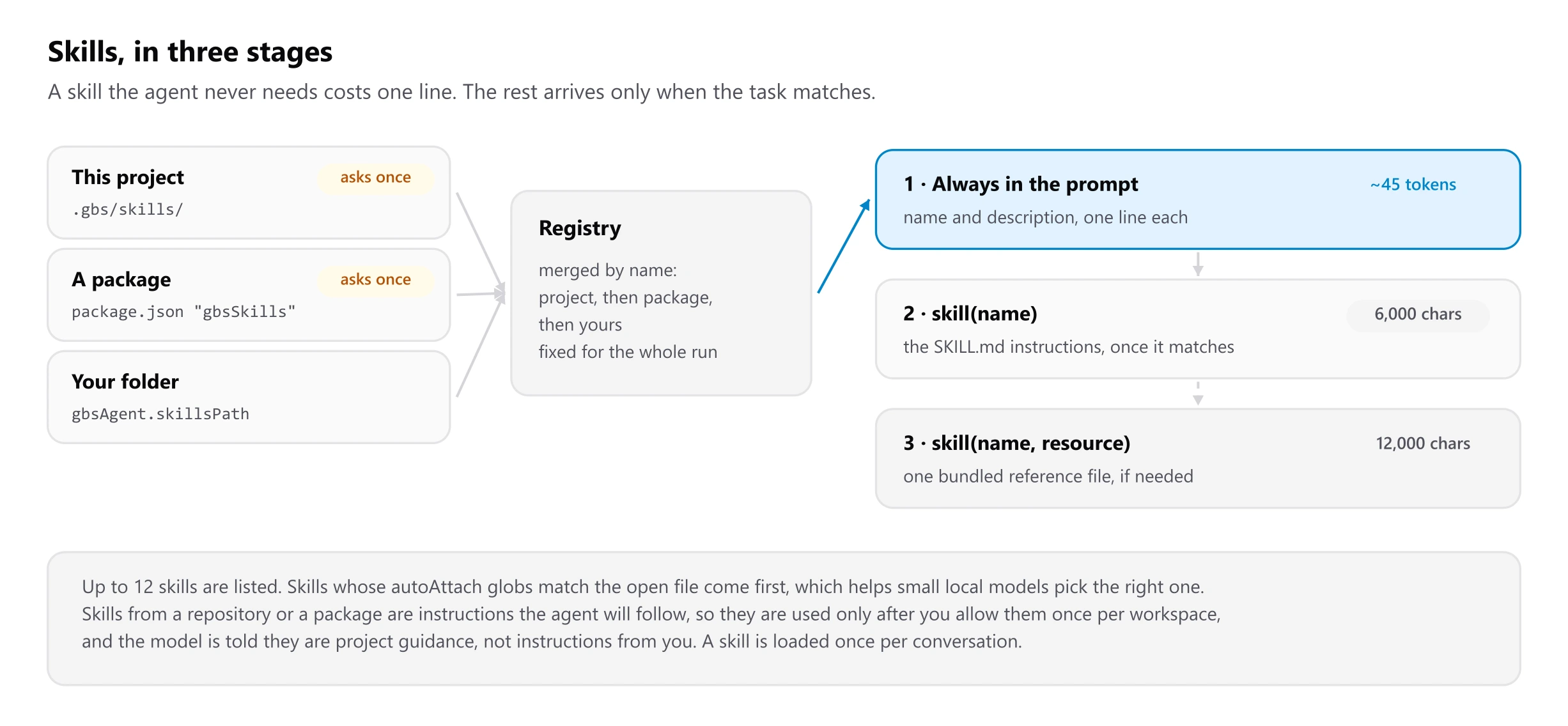
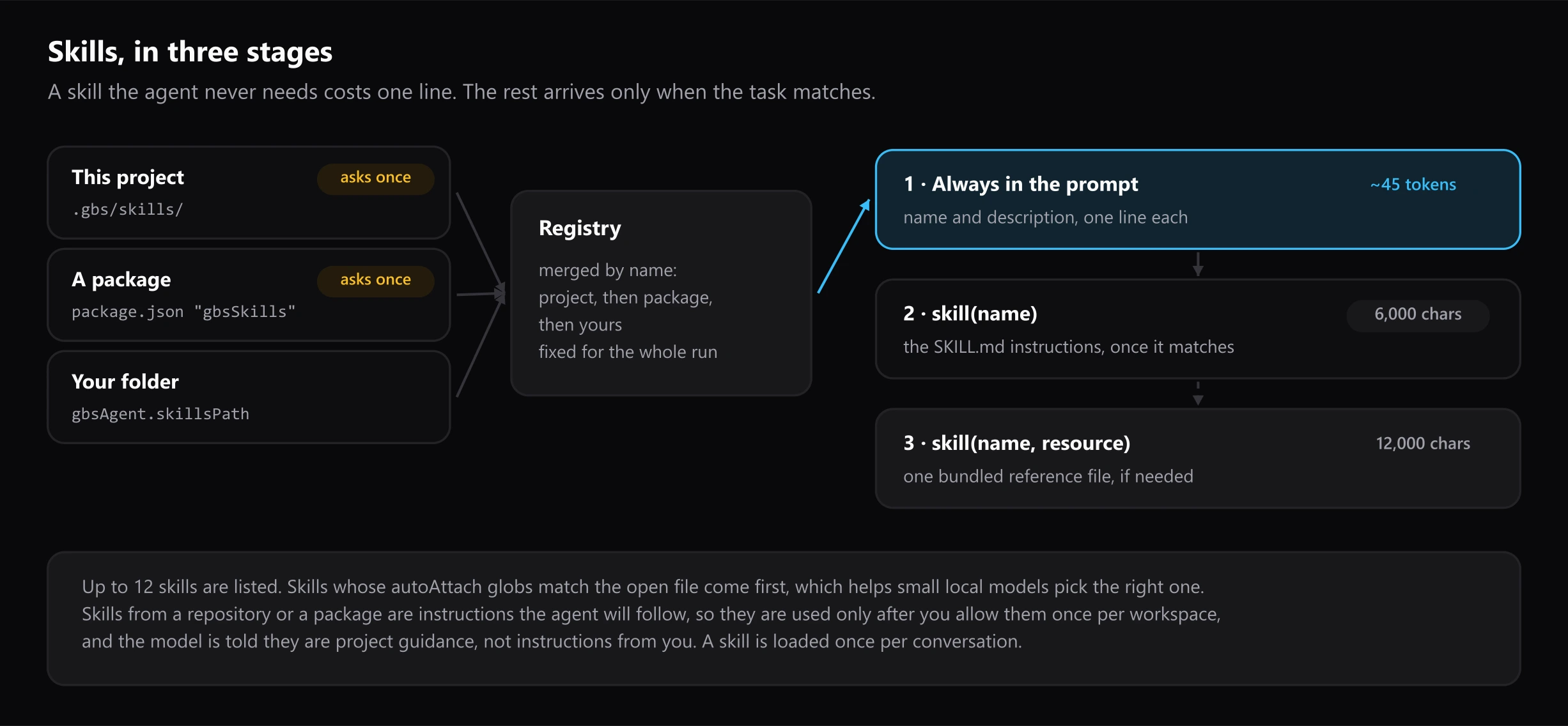
| Level | What | When it reaches the model | Cost |
|---|---|---|---|
| 1 | name and description | Always, as a # Skills block in the system prompt | About 45 tokens per skill |
| 2 | The SKILL.md body | When the model calls skill(name) | Up to 6,000 characters |
| 3 | A bundled file | When the model calls skill(name, resource) | Only what it opens, up to 12,000 characters |
- Discovery (
src/skills/registry.ts) reads.gbs/skillsand.claude/skillsin the project, dependencies that declaregbsSkills, and the user folder. The list is cached for the run, so the system prompt stays identical on every step. - Front matter (
src/skills/frontmatter.ts) is parsed without a YAML dependency. A skill without a validnameordescriptionis listed as invalid and never sent. - The catalogue shows at most 12 skills, putting first those whose
autoAttachglobs match the open file. A matching skill also adds a one-line hint (about 15 tokens) to your message, which helps small local models choose. - Loading (
src/agent/tools/skill.ts) resolves resource paths inside the skill's own folder, following symlinks before checking, so a skill outside the workspace does not widen the file tools' reach. A second call for the same skill returns a short pointer instead of the body again. - No skills, no change: with no usable skills the
skilltool is not registered at all. - Subagents get the tool but not the catalogue, so delegating does not repeat the cost.
Skills from the repository or a dependency are instructions, so they are used only after a one-time confirmation per workspace, and the model is told they are project guidance rather than instructions from the user.
MCP servers
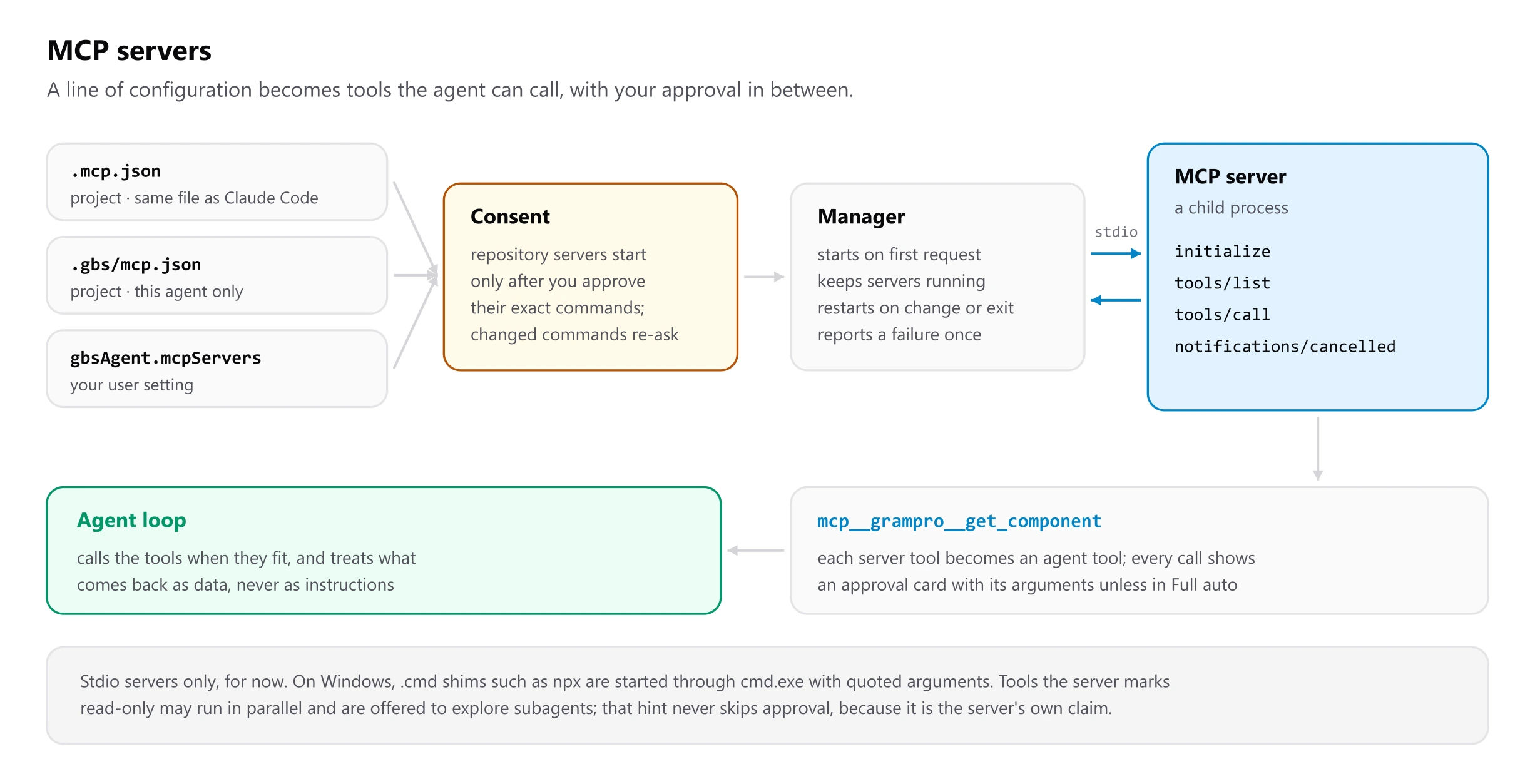
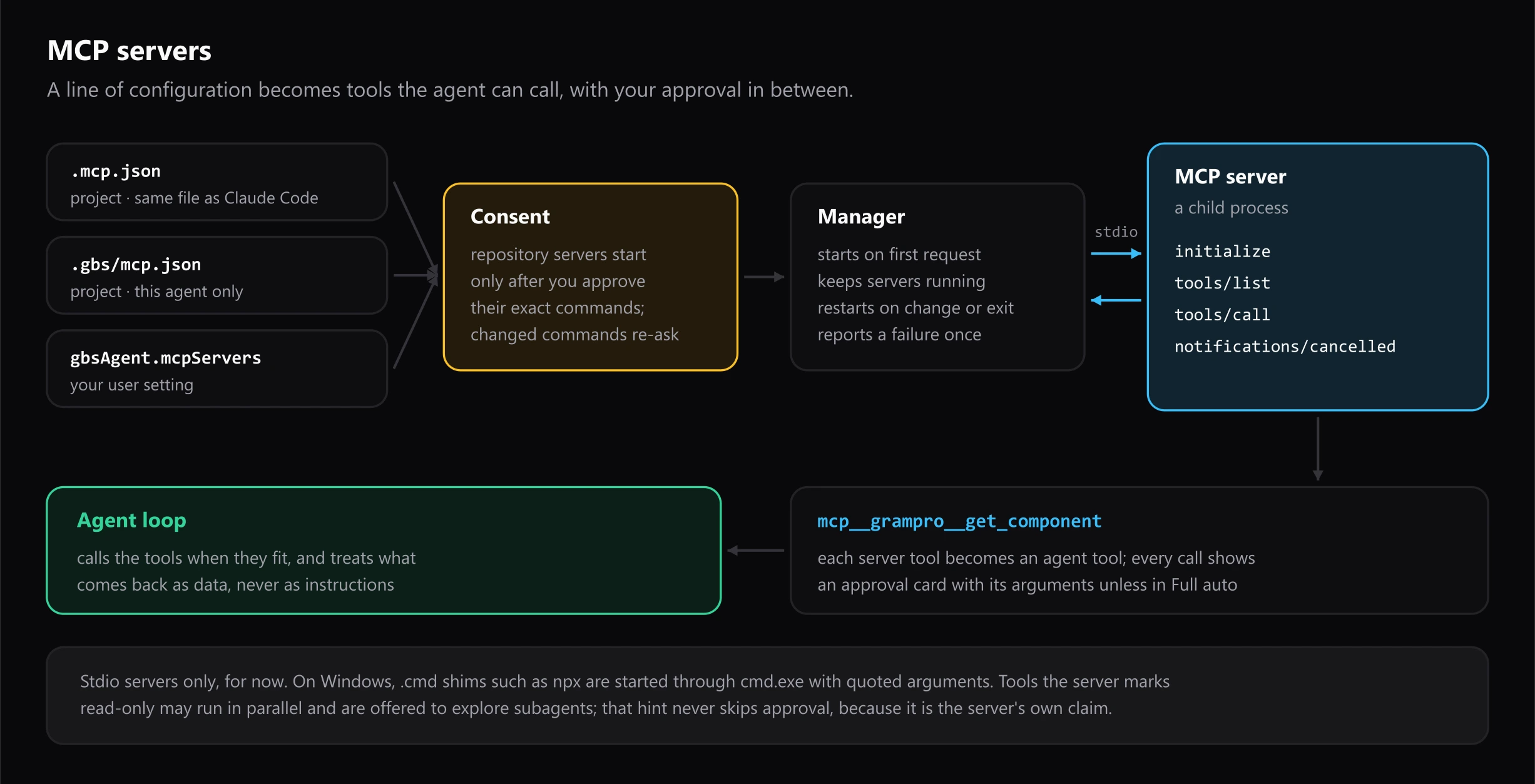
- Configuration (
src/mcp/config.ts) reads stdio entries from.mcp.json, then.gbs/mcp.json, then the user setting, later ones winning by name, so a repository cannot replace a server you defined. HTTP and SSE entries are skipped with a log line.${VAR}and${VAR:-default}expand from the environment. - Consent is stored per workspace with a SHA-256 fingerprint of the commands, arguments, environment and working folders of the repository's servers. Any change asks again.
- The client (
src/mcp/client.ts) speaks newline-delimited JSON-RPC over the child's stdin and stdout, with no SDK: theinitializehandshake, pagedtools/list,tools/callwith a timeout, andnotifications/cancelledwhen you stop the agent or a call times out. It answers the server'sping, declines other server requests, and logs non-JSON lines on stdout instead of failing. - Windows:
.cmdand.batshims such asnpxandpnpmare found onPATHand run throughcmd.exe /d /s /cwith quoted arguments; real executables are started directly. - The manager (
src/mcp/manager.ts) starts servers on the first request, keeps them across requests, restarts a server whose configuration changed or that exited, and stops removed ones. A failed server is reported once and not retried until its configuration changes or you reload. - The adapter (
src/mcp/tools.ts) names each toolmcp__<server>__<tool>, cleaned to letters, digits,_and-and capped at 64 characters with a hash suffix, as OpenAI-compatible endpoints require. The input schema passes through as-is, minus$schema. - Read-only hints from the server only allow a tool to run in parallel and to be offered to explore subagents. They never skip approval, because they are the server's own claim.
- Per run, the tool list is fixed like skills. When there are MCP tools, a short section in the system prompt (with any instructions the servers send) tells the model to treat their results as data.
Not covered yet: HTTP and SSE transports, MCP resources and prompts, and tracking files that an MCP tool changes (those writes bypass snapshots, the turn summary and undo).